
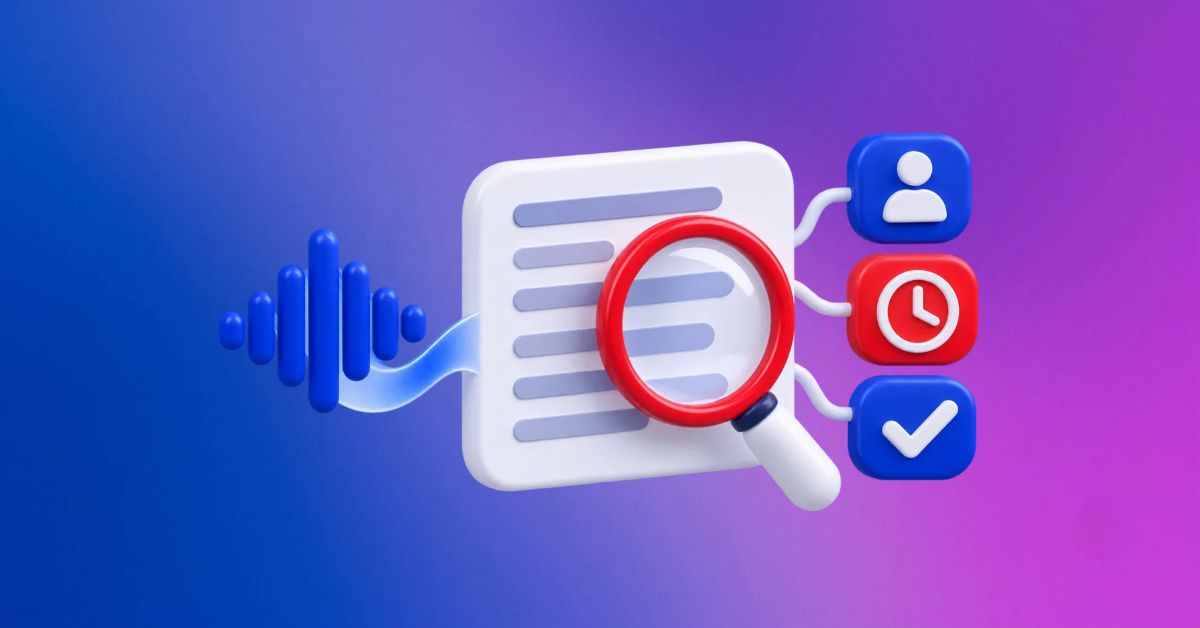
Meeting notes are often one of the first tasks handed to an AI tool because the work looks simple. Upload a transcript, ask for a summary, pull out the action items, and send the result to everyone who attended. It can save time, especially after a long call where nobody wants to replay the whole thing.
The risk is that a neat summary can look more certain than the meeting actually was. AI tools can mishear names, turn a suggestion into a decision, miss a qualification, assign an action to the wrong person, or write a confident sentence about something nobody agreed to.
For a virtual assistant, the job is not just to make notes shorter. It is to make sure the record is safe to send.
A summary is not the meeting
An AI-generated summary is a useful draft. It is not proof of what happened. People speak in half sentences during calls. They change direction midway through an idea.
They say “maybe,” “we should look into that,” or “let’s come back to it,” and those phrases can easily become firm action points in a summary.
This matters because meeting notes often shape what happens next. Someone may start work based on an action item. A client may expect a deadline that was never confirmed. A supplier may receive an instruction that was only discussed as an option.
The more important the meeting, the more carefully the notes need to be checked before they are shared.
Start with the decisions
The first thing to review is every line that says a decision was made.
Ask whether the meeting actually reached a decision, whether the right person approved it, and whether any conditions were attached. A statement such as “The team agreed to move forward” may be wrong if the client said they wanted to see one more proposal first.
If the discussion was unresolved, write that clearly. For example:
“The team discussed moving the launch date, but the final date will be confirmed after the client reviews the revised budget.”
That is less dramatic than a clean decision, but it is more useful because it reflects reality.
Check action owners and deadlines
AI tools often identify action items, although they can make a simple mistake that creates a lot of confusion: assigning the work to the wrong person.
If two people were discussing the same task, the tool may choose the person who spoke most often. If someone said, “Can you ask Maya to handle that?” the summary may list the speaker rather than Maya. If no deadline was stated, the tool may imply one from context.
Before sending the notes, check three things for every action item:
- What exactly needs to be done?
- Who agreed to do it?
- When did they agree to do it?
If the owner or deadline is unclear, do not guess. Mark it as needing confirmation or ask a short follow-up question before the notes go out.
Watch for details that change the meaning
A meeting note can be technically accurate and still misleading if it leaves out the condition that made the statement important.
For example, a client may agree to approve a purchase only if the cost stays below a certain amount. A team may agree to contact a customer only after legal review. A manager may accept a proposal on the basis that two colleagues provide more information first.
Those conditions are easy to lose when an AI tool is trying to make the notes sound concise. They are also the details that often matter most later.
A useful approach is to look for words such as “if,” “unless,” “after,” “before,” “subject to,” and “once.” They often signal that an action is not as final as it first appears.
Separate facts from follow-up
A clear set of notes should show the difference between what happened in the meeting and what needs to happen afterward.
You can structure the note around three sections:
- Decisions confirmed
- Actions and owners
- Open questions
This makes it easier for everyone to scan the update, while it also stops an unresolved discussion from being presented as a completed decision.
It is especially useful when a meeting involves several stakeholders. A founder may make the final call, while a project manager owns the next step and a VA follows up for missing information. Keeping those roles separate prevents the notes from becoming a vague list of “the team will” statements.
Confirm sensitive decisions outside the summary
Some decisions should not be treated as confirmed only because they appeared in a meeting transcript. Changes involving budgets, contracts, staffing, client commitments, payment arrangements, or public statements may need a clear written approval from the person with authority to make them.
This is similar to the issue we covered in high-risk client requests. A meeting may give useful context, but a high-impact instruction still needs to be verified before it becomes action.
A VA can write: “The meeting notes record the proposed approach. Please confirm that you would like me to proceed with the supplier change before I send the instruction.”
That one sentence can prevent a decision from quietly turning into a mistake.
Keep the language close to what was said
You do not need to reproduce every sentence from a meeting, but you should avoid making the language more certain or more polished than the discussion was.
If the client said, “We are leaning toward the second option,” then the notes should not say, “The client selected the second option.”
If someone said, “I should be able to finish this by Friday,” then do not turn it into, “The task will be completed by Friday.” The difference may seem small, but it matters when people rely on the notes later.
Use AI for the first draft, not the final judgment
AI is useful for organizing a long transcript, identifying repeated themes, and producing a first version of the notes. It can save a VA from spending an hour turning a rough conversation into a readable update.
The judgment still needs to come from a person who understands the client, the project, and the difference between a conversation and a commitment.
A good workflow is simple. Generate the draft, compare it with the recording or transcript, check decisions and action items, remove anything uncertain, and then send it with a clear subject line and date.
Final thoughts
AI meeting notes can be fast and helpful, but they should never become the official version of a meeting without a human check. Review every decision, confirm action owners and deadlines, and keep open questions separate from confirmed instructions.
The best notes do not make a meeting sound tidier than it was. They make the next step clearer without changing what people actually agreed to do.
#VirtualAssistant #AIMeetingNotes #ClientCommunication #WorkflowManagement #RemoteWork #PA2Assist