
A client project can end with a friendly “thank you,” a final invoice, and a promise to stay in touch. However, the digital leftovers often remain long after the work is finished.
The shared inbox is still logged in on a laptop. A calendar invite still appears every morning. A project board remains in the assistant’s account. A password lives in a browser. A paid tool keeps renewing quietly in the background, like a houseguest who has mistaken the sofa for a permanent address.
This is not only untidy. It creates real security, privacy, and financial risks for both the client and the virtual assistant.
A proper offboarding process protects client information, clarifies who owns what, and gives everyone a clean ending. It also makes an assistant look organized, reliable, and very easy to hire again.
Why Client Account Cleanup Matters
When people think about delegating work, they often focus on onboarding. They discuss access, passwords, responsibilities, deadlines, and communication channels. Those conversations are important, but offboarding deserves the same attention.
An assistant may have access to email accounts, cloud folders, social platforms, payment tools, scheduling software, customer relationship systems, and subscriptions. Once the relationship ends, that access should not simply fade into the background.
Old access can lead to accidental mistakes. A former assistant might open the wrong client account, receive sensitive notifications, or continue appearing as an active team member inside a tool. It can also create a much bigger problem if login details are lost, reused, or left active after someone has moved on.
A cleanup checklist does not suggest distrust. It shows professionalism. Clear boundaries protect everyone, especially when several people have worked on the same accounts over time.
Start With an Account Inventory
The simplest way to make offboarding less chaotic is to create an account inventory from the beginning of the working relationship. This is a document that lists every platform the assistant uses, the purpose of each platform, who owns the account, and what level of access has been granted.
It does not need to be fancy. A secure spreadsheet or project-management page can work well, provided it is not filled with exposed passwords. The goal is to create a reliable map of the client’s digital workspace.
For example, the inventory can include:
- The client’s email platform and the assistant’s level of access.
- Shared calendars, including who owns each calendar.
- Cloud storage folders and shared documents.
- Social-media accounts and scheduling tools.
- Project-management platforms and workspaces.
- Customer-service tools, customer relationship systems, and online stores.
- Subscriptions, software accounts, and billing contacts.
- Password-manager vaults and access permissions.
Without an inventory, cleanup becomes a guessing game. Guessing games are fun at birthday parties. They are less charming when client data, subscriptions, and admin access are involved.
Separate Access From Ownership
One of the most important parts of a clean handover is understanding the difference between access and ownership.
An assistant may manage a client’s social-media account, but the client should remain the owner. An assistant may build a project board, but the client should be able to access it without depending on one person. An assistant may set up a scheduling tool, but the client should control the billing details and recovery email.
This principle prevents awkward situations when a working relationship changes. It also protects the assistant from being asked to untangle accounts that were created under the wrong name or email address.
Whenever possible, client accounts should use client-controlled email addresses, recovery details, and payment methods. Assistants can be added as team members or administrators at the appropriate level. That approach makes removal simple when the project ends and avoids the digital version of trying to return keys to a building that no one can find.
For teams that need help setting up practical access systems and maintaining clear working boundaries, PA2Assist can connect businesses with professional support that fits their workflow.
Revoke Access in the Right Order
Not every account carries the same level of risk. A shared content folder is different from a payment platform, and a marketing scheduler is different from an email inbox. For that reason, cleanup should begin with the most sensitive accounts.
Start by reviewing financial tools, payment platforms, banking-related logins, subscription billing portals, and any account that allows purchases or refunds. Next, review email accounts, cloud storage, password managers, and customer databases.
Finally, work through lower-risk tools such as content planners, design accounts, project boards, and communication platforms.
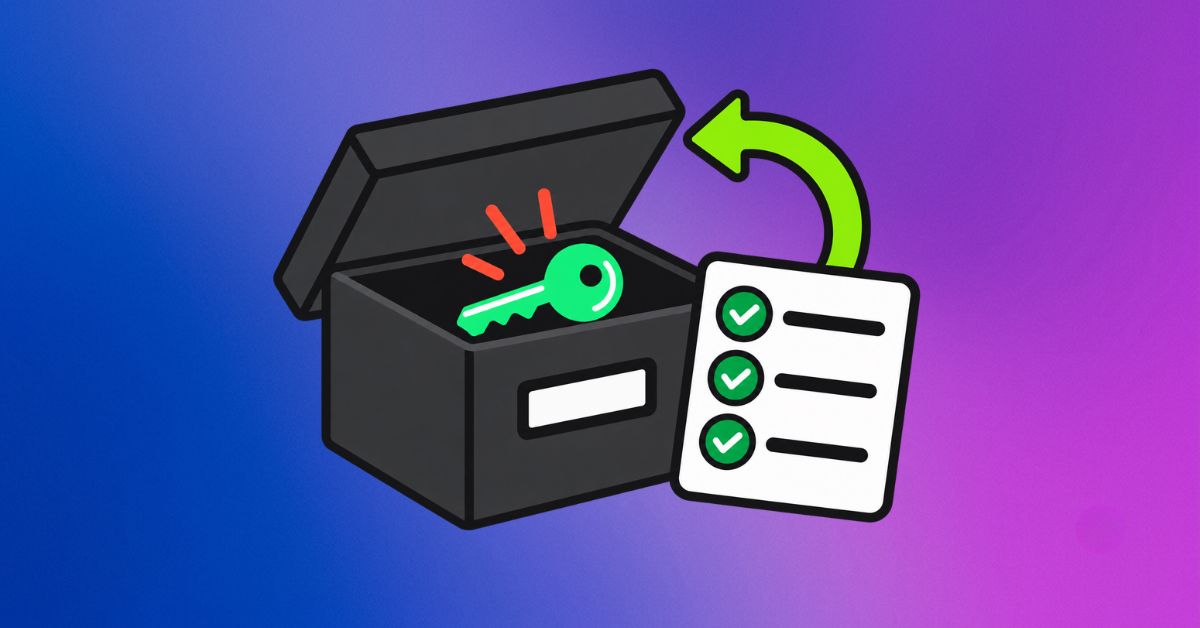
The person responsible for removing access should confirm that each change has been completed. A simple checklist with dates and initials can prevent the familiar “I thought you removed that” conversation later.
If the client has given the assistant shared passwords instead of individual access, the client should change those passwords after the project ends. Passwords should never remain active simply because changing them feels inconvenient. Convenience is helpful, but it should not become the head of security.
Close the Browser Door Too
Many people remember to remove an assistant from an app but forget that the account may still be active in a browser session.
If a virtual assistant has been working across several client accounts, their browser may contain saved logins, autofill details, bookmarks, cookies, and active sessions. These can create accidental access even after a platform has removed the assistant as a user.
A simple browser cleanup should include signing out of client accounts, removing saved passwords where appropriate, deleting client-specific browser profiles, and clearing any stored payment details. If the assistant uses a separate browser profile for each client, this process becomes far easier.
Dedicated profiles are a smart habit during the working relationship as well. They reduce the risk of sending an email from the wrong account, uploading a file to the wrong drive, or switching between client dashboards by accident. One client’s workspace should not become tangled with another client’s workspace.
A neat browser setup may not sound glamorous, but it can prevent some very unglamorous problems.
Return Files and Create a Handover Pack
Offboarding should not feel like someone turning off the lights and disappearing. A good assistant leaves the client with a clear handover.
The handover pack can include current project status, upcoming deadlines, important contacts, recurring tasks, file locations, process notes, and any unresolved questions. It should also explain what has been completed and what still requires attention.
For example, a handover note might state that the monthly newsletter draft is ready for approval, the next three social posts are scheduled, two customer inquiries need a response, and the website developer is waiting for final images. That level of clarity helps the client continue without scrambling to reconstruct the work.
The assistant should return client files through the agreed storage system rather than keeping duplicate copies on personal devices. If the work required downloading documents, the assistant should delete local copies once the handover is confirmed, unless the client has agreed otherwise in writing.
This step matters because client information can live in unexpected places. It may be sitting in a downloads folder, attached to an old email, saved inside a design platform, or stored on a mobile device. A thorough check is worth the extra few minutes.
Review Subscriptions and Recurring Costs
Subscriptions are sneaky little creatures. They rarely announce themselves when a project ends.
A client may be paying for a scheduling tool, stock-photo platform, email service, analytics dashboard, or productivity app that was useful during the project but is no longer needed. The assistant may also have set up trials that will convert into paid plans later.
A final subscription review helps the client avoid unnecessary spending. It also shows that the assistant is looking after the business rather than merely finishing tasks.
The review should answer a few practical questions. Is the tool still needed? Who owns the billing account? Is the client aware of the renewal date? Does another team member need access? Should the subscription be transferred, downgraded, or canceled?
It is better to leave behind a tidy list than a collection of mystery charges that show up six months later and inspire a very unhappy bank statement.
Document the Final Confirmation
Once the cleanup is complete, send a short written confirmation. This does not need to sound dramatic or legalistic. It simply creates a useful record.
The confirmation can state that access has been removed or transferred, client files have been returned, local copies have been deleted where required, and the handover document has been shared. If anything remains open, list it clearly.
For example, the assistant might confirm that they have been removed from the email account and project-management platform, transferred the social-media scheduler to the client, uploaded the handover notes, and flagged one subscription that still needs the client’s decision.
This final message provides closure. It also reassures the client that the relationship has ended neatly rather than dissolving into a cloud of forgotten logins.
Final thoughts
A strong client relationship should end as professionally as it began. The account cleanup process is not a boring administrative extra. It is part of responsible virtual assistance.
When access is organized, files are returned, subscriptions are reviewed, and accounts are properly closed, everyone can move forward with confidence. The client keeps control of their business, and the assistant leaves behind a reputation for care, structure, and trustworthiness.
That is a far better final impression than an unexpected login notification three months later.
#VirtualAssistant #ClientOffboarding #DigitalSecurity #BusinessSystems #RemoteWork #PA2Assist