

A client decides to move from one system to another, and the announcement usually sounds simple. The company is changing its CRM, replacing its project-management tool, moving files to a new drive, or switching to a different scheduling platform.
Someone says the new tool will make everything easier, and the team starts looking forward to a cleaner setup.
Then the problems begin. A contact record does not transfer. A project folder loses its permissions. A calendar integration stops working. A client history is left behind in the old system, while the team begins using the new one before anyone has checked what is missing.
A virtual assistant often ends up in the middle of this work because they know where the daily details live. That makes them valuable during a system change, but it also means they need a clear checklist before the move starts.
Find out what is actually changing
The first question is simple: what is moving, and what is staying?
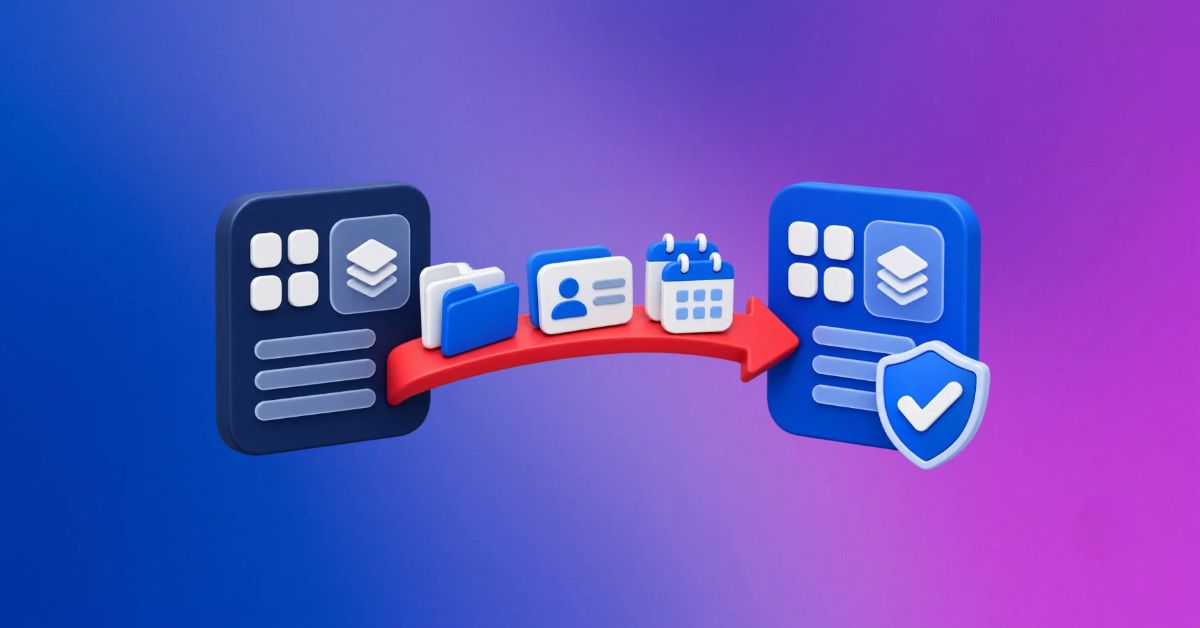
A client may say they are “moving to a new CRM,” but that could involve contacts, notes, email history, task records, customer tags, templates, automations, reporting, and user permissions. It may also affect tools connected to the CRM, such as a calendar, form, email platform, or payment system.
Do not assume that data will move because it is visible in the old system. Ask for a clear list of what the client expects to exist in the new one.
A useful starting point is:
- Contacts and customer records
- Notes, attachments, and communication history
- Tasks and project boards
- Shared files and folders
- Calendar connections
- Templates and automations
- User access and permissions
- Integrations with other tools
This list gives the team a shared picture of the change before people start moving information around.
Keep one source of truth during the transition
The hardest part of a system move is often not transferring data. It is deciding which system people should use while the move is happening.
If half the team updates the old CRM while the other half starts working in the new one, the records drift apart almost immediately. A customer may receive two follow-ups. A meeting may be logged in one place but not the other. A task may be marked complete in the wrong system.
The client should decide which system is the source of truth at each stage. It may be the old system until a specific date, then the new system after a final check. Or it may be the new system for fresh work while the old one stays read-only for reference.
Whatever the arrangement, write it down and communicate it clearly. A VA should not have to guess where to log a new customer request.
Check permissions before the launch date
A system can be fully migrated and still fail on the first working day because the right people cannot access it.
Before the team starts using the new platform, check who can view, edit, export, delete, and share information. A VA may need access to calendar settings, project boards, templates, or selected client folders without needing full control over financial records or private management notes.
Permissions should match the work each person is expected to do. They should also be reviewed after the move, because old access can linger even when it is no longer needed.
This connects with our guide to when tools disagree. A migration creates a short period where records can easily fall out of sync, so clear ownership and a final comparison are essential.
Test the work people do every day
Do not judge a new system only by whether the data appears to be there. Test the actions the team actually performs.
Can the VA add a new contact? Can they find an old client note? Can they schedule a meeting and see it in the shared calendar? Can they send a template, assign a task, and upload a file? Can the right manager approve something without needing a workaround?
These daily checks are more valuable than a general statement that the migration is complete. A system may technically contain all the data while still making ordinary work difficult.
Ask a few people from different roles to test their normal tasks. A sales team member, a project manager, a VA, and a client-support person may all notice different gaps.
Protect the old system before it disappears
A client should not close the old account the moment the new one goes live. Keep it available, ideally in read-only form, until the team has confirmed that the important data, files, and history are safe.
There may be legal, financial, or customer-service reasons to look back at an old record. A client could ask about a conversation from six months ago. A supplier may need an earlier invoice. A team may discover that a useful template or automation was never transferred.
Make sure the client knows how long the old system will remain available and who will hold the backup. If an export is needed, store it in a controlled folder rather than leaving it in someone’s personal downloads.
Keep a list of what did not move
No migration is perfect. Some notes may not transfer cleanly. File links may break. Custom fields may need rebuilding. A report may look different in the new platform.
The important part is to keep a visible list of these issues instead of hoping they disappear.
A simple migration log can include:
- What is missing or not working
- Who is responsible for resolving it
- The current workaround
- The deadline for fixing it
- Whether the client needs to make a decision
This prevents the VA from becoming the unofficial holder of every unresolved detail. It also gives the client a realistic picture of what remains after the launch.
Do not move sensitive information casually
A system change is also a privacy and security event. A client may be moving customer records, internal documents, contracts, payment information, or login access from one platform to another.
Use the approved export and import methods where possible. Avoid downloading sensitive files to a personal device, sending spreadsheets through unsecured chat, or copying information into temporary tools just because it feels quicker.
If something requires a decision about access, retention, or sensitive data, flag it rather than making an assumption. A successful migration is not just one where the records arrive. It is one where they arrive safely and remain available to the right people.
Final thoughts
A system change can make work much easier, but only when the move is treated as a process rather than a quick technical swap. A VA can add real value by mapping what is moving, keeping one source of truth, checking permissions, testing daily tasks, and maintaining a clear list of unresolved issues.
The new platform does not need to be perfect on day one. It does need to be reliable enough that the team knows where to work, what they can access, and where to find the information that still matters.
#VirtualAssistant #SystemMigration #BusinessOperations #ClientSupport #WorkflowManagement #PA2Assist